
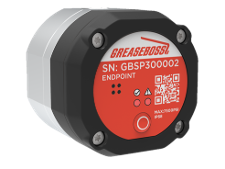
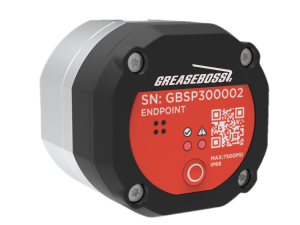
This guide provides instructions on how to replace the battery in the LOW FLOW ENDPOINT and HIGH FLOW ENDPOINT.
|
|
|
1.1: ENSURE ALL DEVICES AND POWER SOURCES TO THE GREASE PUMP AND GREASE SYSTEM ARE FULLY ISOLATED PRIOR TO COMMENCING WORK 1.2: ONLY USE GREASEBOSS SUPPLIED OR APPROVED REPLACEMENT BATTERIES TO ENSURE COMPATABILITY WITH THE GREASEBOSS ENDPOINTS |
|
| (Please take photos of each installation step and provide to GreaseBoss for effective support. Include a photo of the GreaseBoss Endpoint Serial Number.) | |
|
1.3 Parts, Tools and Preparation
|
|
| 3: BATTERY REPLACEMENT PROCESS | |
| 3.1: Thoroughly clean the surface of the Endpoint to avoid ingress of contaminants into the device | |
| 3.2: The 4 Hex Screws accessible on the top of the endpoint release the Cap from the Body of the Endpoint. Between the Cap and the Body is an O-Ring Seal. | 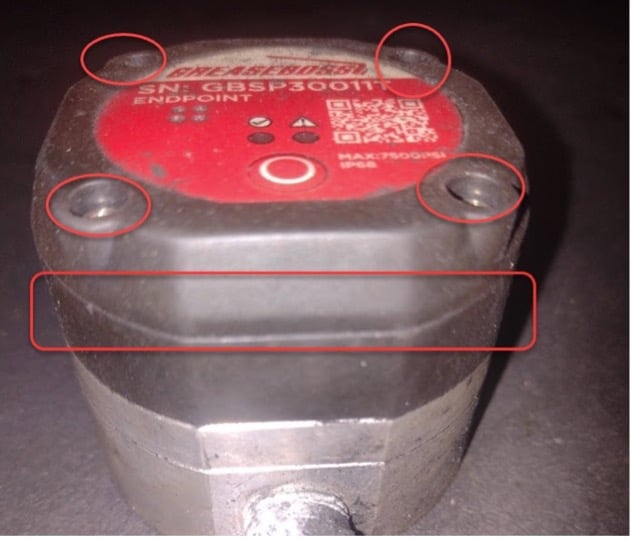
|
| 3.3: Ensure the Hex Screws are clear of dirt and debris. Use a 2.5mm Allen Key Fitting to unscrew the Cap. Note these are Captive Screws and not fully removed. | 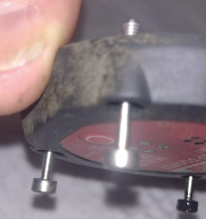
|
| 3.4: When removing the Cap, take care not to lose the O-ring. Inspect O-ring for damage. Clean O-ring and keep clear of dirt and debris. Replace if damaged. | 
|
| 3.5: Place the Cap on a flat surface upside down to reveal the battery holder attached to the circuit board. | |
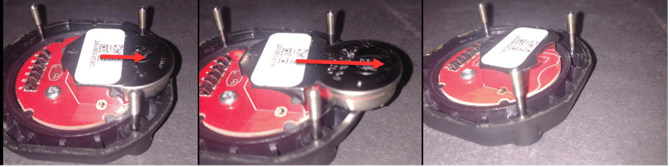
| 3.6: Use a non-conductive tool to carefully press the battery out towards the outer edge until the battery is free from the holder. (See image below) | |
|
|
| 3.7: Insert the new battery into the battery holder with the negative side facing the circuit board. You may see some bootup LED flashes. No action is required. | |
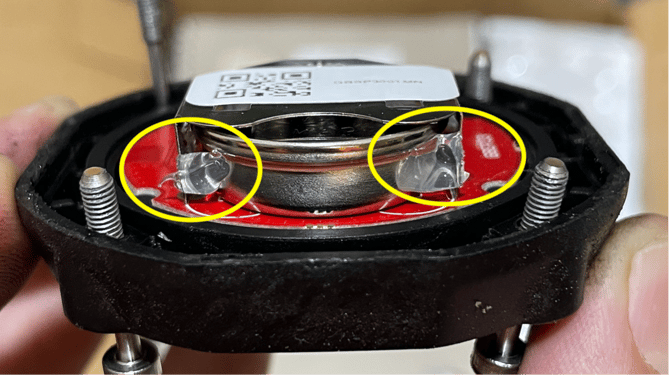
| 3.8: Apply a small amount of hot glue or non-conductive silicone to the outer points of where the battery holder contacts the battery as indicated in the image below. This will prevent the battery moving due to vibration of the Endpoint. | |
|
|
| 3.9: Insert the O-ring back into position in the body of the endpoint. | |
| 3.10: Position the Cap back on the Body of the Endpoint and evenly tighten the screw until the faceplate is seated and all faces are mated. DO NOT OVERTIGHTEN THE SCREWS. | 
|
| 3.11: Using the Torque Screwdriver, tighten the screws to 0.7nm | |
| 3.12: Confirm power to the Endpoint by pressing the button for 1 second and releasing. A single Green LED Flash indicates the Endpoint is powered. | |
| 3.13: If the Endpoint was removed from the system for the battery change, insert back in-line with the grease system and secure connecting hoses. | |
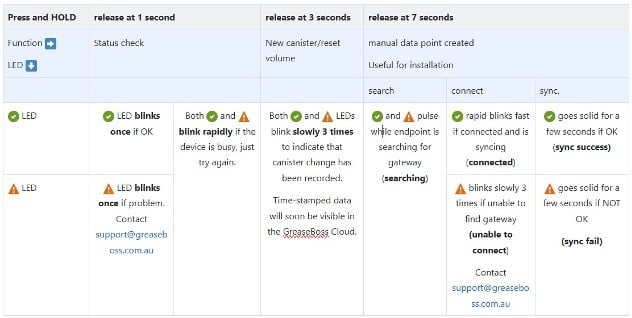
| 3.14: Once battery change is complete and the Endpoint installed in-line with the grease system, re-sync the Endpoint to the Gateway. Press and hold the button for 7 seconds and release. Observe the LED light sequence and reference the below image for connectivity status | |
|
|
