
This guide provides instructions on how to replace the battery in the BULK FLOW ENDPOINT and ENDPOINT MP2.
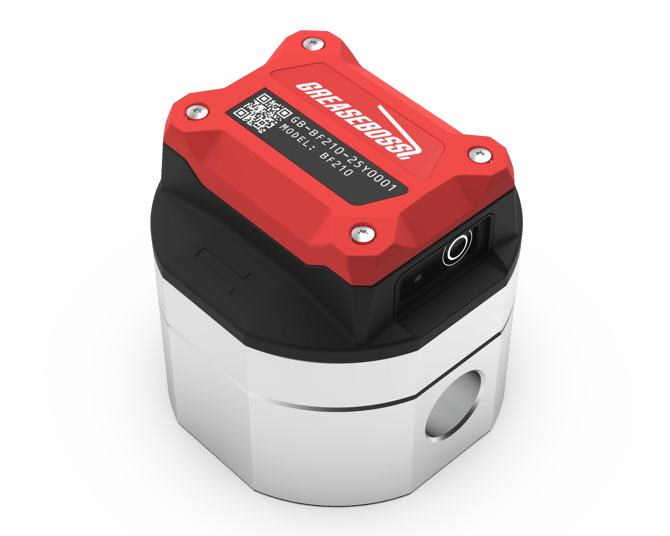
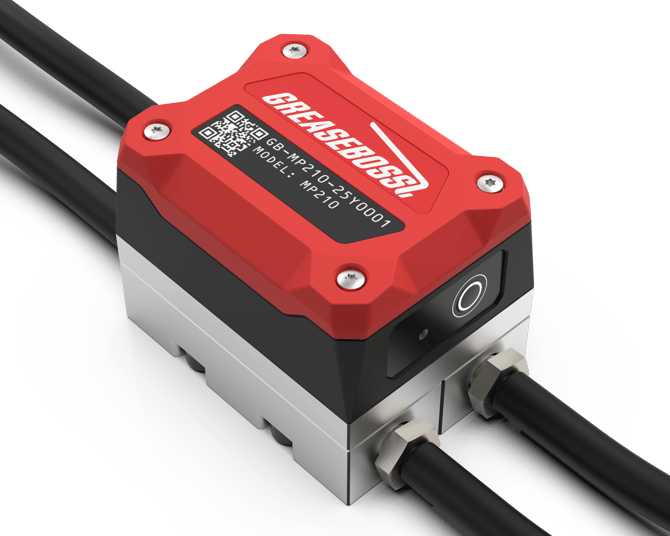
It applies to the Endpoint Bulk Flow BF200 and BF210, and the Endpoint MP2. The battery in the Bulk Flow BF430 can't be replaced on its own. If a BF430 battery is depleted, replace the whole electronics enclosure (the Swap Top) using the Endpoint Swap Top Instruction Guide. The same applies to Low Flow LF4XX and High Flow HF4XX Endpoints.
|
|
|
1.1: ENSURE ALL DEVICES AND POWER SOURCES TO THE GREASE PUMP AND GREASE SYSTEM ARE FULLY ISOLATED PRIOR TO COMMENCING WORK 1.2: ONLY USE GREASEBOSS SUPPLIED OR APPROVED REPLACEMENT BATTERIES TO ENSURE COMPATABILITY WITH THE GREASEBOSS ENDPOINTS
|
|
| (Please take photos of each installation step and provide to GreaseBoss for effective support. Include a photo of the GreaseBoss Endpoint Serial Number.) | |
|
1.3 Parts, Tools and Preparation
Take care NOT to introduce any contamination throughout this process.
|
|
| 2: BATTERY REPLACEMENT PROCESS |
|
| 2.1: Thoroughly clean the surface of the Endpoint to avoid ingress of contaminants into the device | |
| 2.2: The 4 Hex Screws accessible on the top of the endpoint release the Cap from the Body of the Endpoint. Between the Cap and the Body is an O-Ring Seal. | 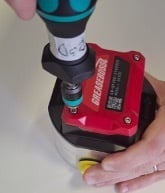 |
| 2.3: Ensure the Hex Screws are clear of dirt and debris. Use a 2.5mm Allen Key Fitting to unscrew the Cap. Note these are Captive Screws and not fully removed. | 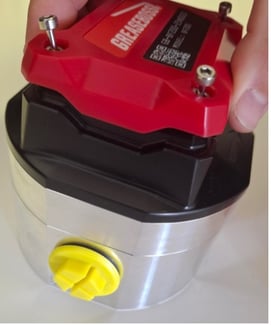
|
| 2.4: Remove the Cap to reveal 2x AA Batteries. When removing the Cap, take care not to lose the O-ring. Inspect O-ring for damage. Clean O-ring and keep clear of dirt and debris. Replace if damaged. | 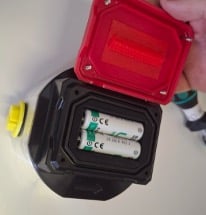 |
| 2.5: Remove 2x AA Batteries and replace with new batteries. Note the orientation required for the batteries. Negative terminal of batteries connects to springs. | 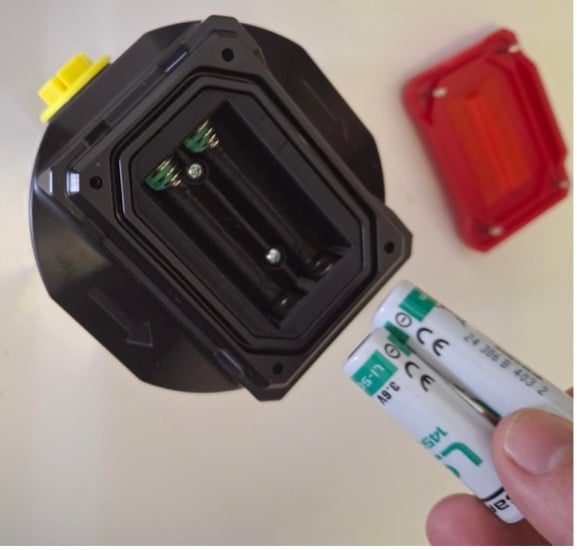 |
| 2.6: Dispose of replaced batteries responsibly. | |
| 2.7: Replace Cap. Note correct orientation required. Three sides of the cap have a contoured edge, and one end has a flat edge. | 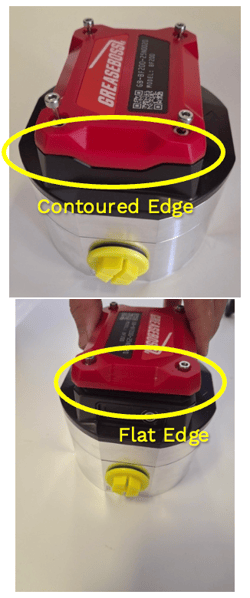
|
| 2.8: Tighten the screws enough for the Cap to be in contact with the base and hold in place. | 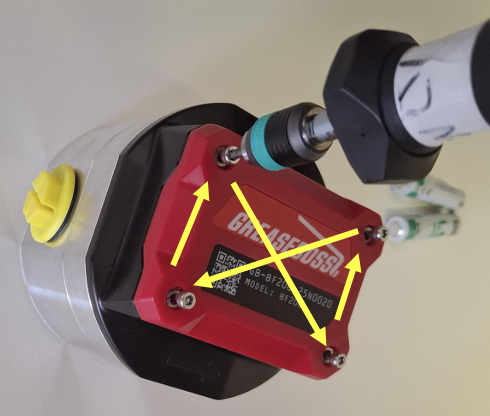
|
| 2.9: Tighten the screws using a Torque Screwdriver with 2.5mm Hex Head set to 1nm. Tighten in an X pattern. | |
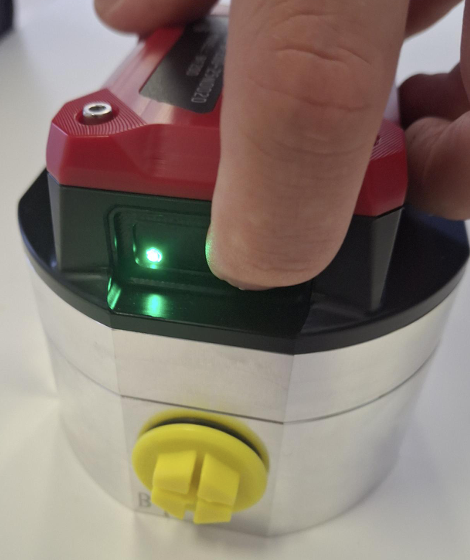
2.10: Confirm power to the Endpoint by pressing the button for 1 second and releasing. A single Green LED Flash indicates the Endpoint is powered. |
 |
| 2.11: If the Endpoint was removed from the system for the battery change, insert back in-line with the grease system and secure connecting hoses. | |
|
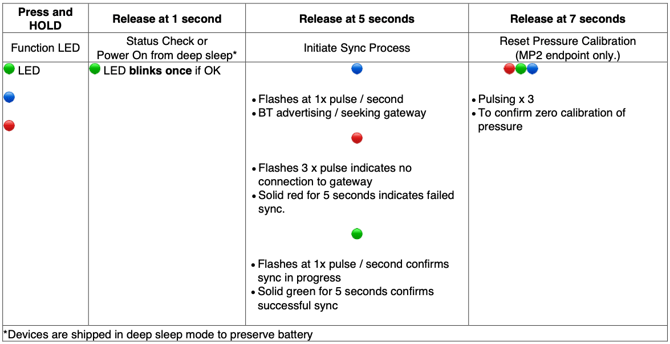
2.12.a: (For MP2 Only) Once battery change is complete and the Endpoint installed in-line with the grease system, recalibrate the Pressure readings to Zero. Press and hold button on Endpoint for 7 seconds and release. Coloured lights will cycle. (Proceed to step 2.12b) |
|
|
2.12.b: Once battery change is complete and the Endpoint installed in-line with the grease system, re-sync the Endpoint to the Gateway. Press and hold the button for 5 seconds and release. Observe the LED light sequence and reference the below image for connectivity status |
|
|
|

Warranty: Replacing the battery doesn't void the warranty, as long as it's done correctly following this guide. Water or dust getting in because the Cap wasn't refitted and sealed properly will void the warranty. Never separate the Endpoint electronics or sensor from the flow meter, as this also voids the warranty.