
This guide provides instructions on how to replace the battery in the BULK FLOW ENDPOINT and ENDPOINT MP2.
|
|
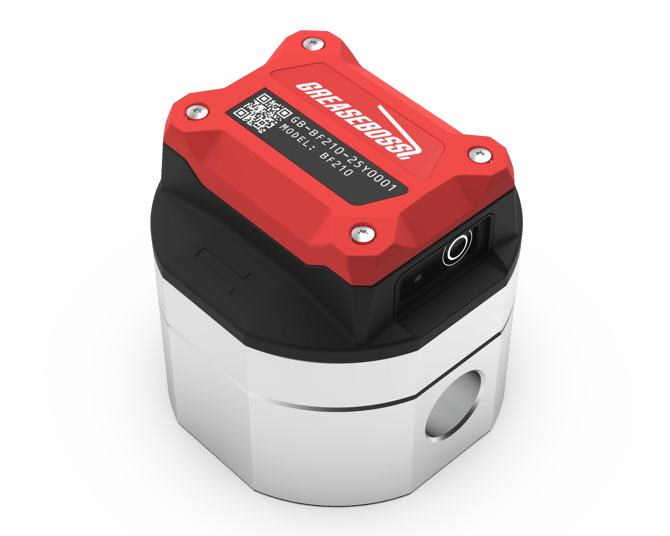
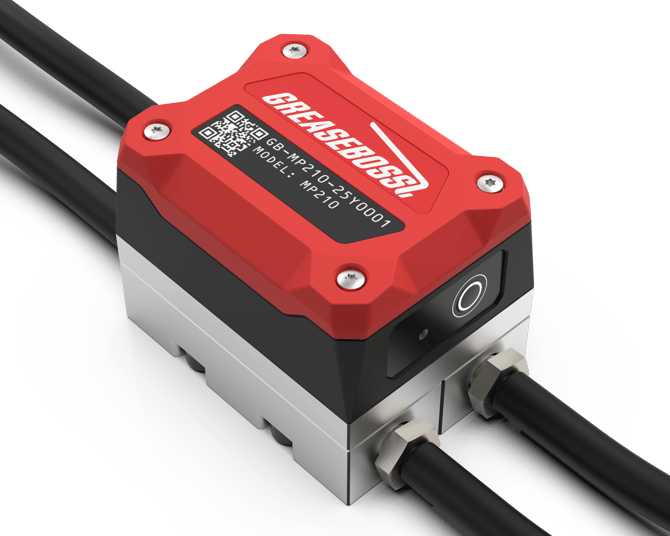
|
1.1: ENSURE ALL DEVICES AND POWER SOURCES TO THE GREASE PUMP AND GREASE SYSTEM ARE FULLY ISOLATED PRIOR TO COMMENCING WORK 1.2: ONLY USE GREASEBOSS SUPPLIED OR APPROVED REPLACEMENT BATTERIES TO ENSURE COMPATABILITY WITH THE GREASEBOSS ENDPOINTS
|
|
| (Please take photos of each installation step and provide to GreaseBoss for effective support. Include a photo of the GreaseBoss Endpoint Serial Number.) | |
|
1.3 Parts, Tools and Preparation
Take care NOT to introduce any contamination throughout this process.
|
|
| 2: BATTERY REPLACEMENT PROCESS |
|
| 2.1: Thoroughly clean the surface of the Endpoint to avoid ingress of contaminants into the device | |
| 2.2: The 4 Hex Screws accessible on the top of the endpoint release the Cap from the Body of the Endpoint. Between the Cap and the Body is an O-Ring Seal. | 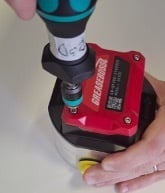 |
| 2.3: Ensure the Hex Screws are clear of dirt and debris. Use a 2.5mm Allen Key Fitting to unscrew the Cap. Note these are Captive Screws and not fully removed. | 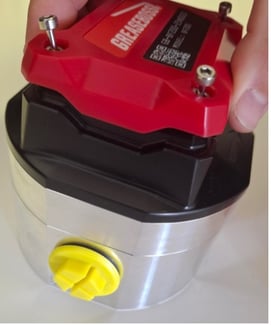
|
| 2.4: Remove the Cap to reveal 2x AA Batteries. When removing the Cap, take care not to lose the O-ring. Inspect O-ring for damage. Clean O-ring and keep clear of dirt and debris. Replace if damaged. | 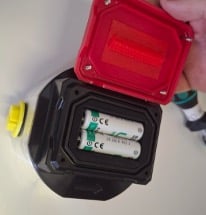 |
| 2.5: Remove 2x AA Batteries and replace with new batteries. Note the orientation required for the batteries. Negative terminal of batteries connects to springs. | 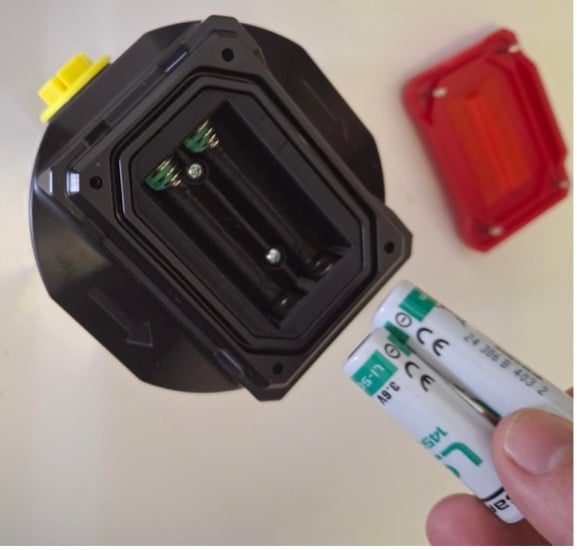 |
| 2.6: Dispose of replaced batteries responsibly. | |
| 2.7: Replace Cap. Note correct orientation required. Three sides of the cap have a contoured edge, and one end has a flat edge. | 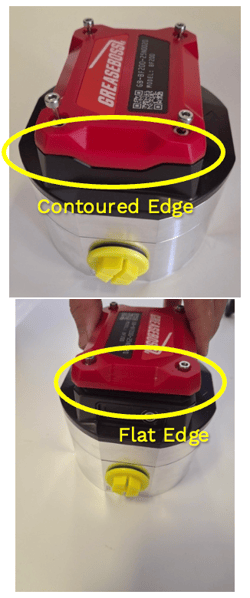
|
| 2.8: Tighten the screws enough for the Cap to be in contact with the base and hold in place. | 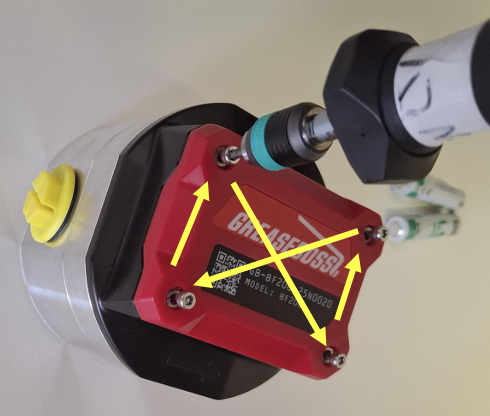
|
| 2.9: Tighten the screws using a Torque Screwdriver with 2.5mm Hex Head set to 1nm. Tighten in an X pattern. | |
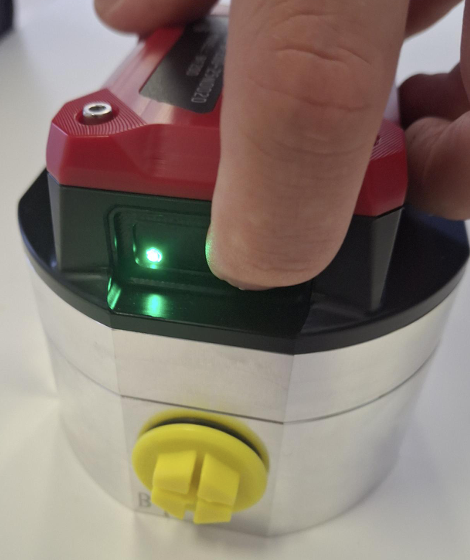
2.10: Confirm power to the Endpoint by pressing the button for 1 second and releasing. A single Green LED Flash indicates the Endpoint is powered. |
 |
| 2.11: If the Endpoint was removed from the system for the battery change, insert back in-line with the grease system and secure connecting hoses. | |
|
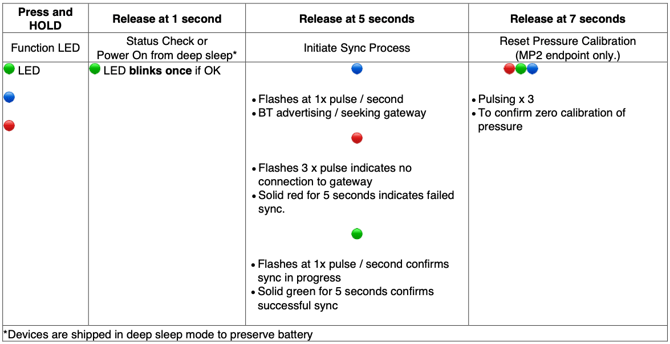
2.12.a: (For MP2 Only) Once battery change is complete and the Endpoint installed in-line with the grease system, recalibrate the Pressure readings to Zero. Press and hold button on Endpoint for 7 seconds and release. Coloured lights will cycle. (Proceed to step 2.12b) |
|
|
2.12.b: Once battery change is complete and the Endpoint installed in-line with the grease system, re-sync the Endpoint to the Gateway. Press and hold the button for 5 seconds and release. Observe the LED light sequence and reference the below image for connectivity status |
|
|
|
