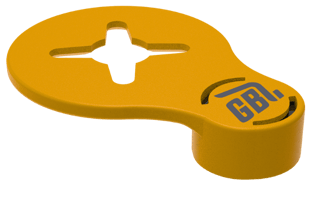
This installation guide provides instructions on how to install the Clip On Grease Tags designed for use with Zerk (or similar) Grease Nipples.
1 - PREPERATION |
|
|
1.1: Correct preparation is vital for the correct installation and successful application of Clip On Grease Tags. Clip On Tags are designed to fit Zerk style grease Tags |
|
|
1.2: It is recommended to have all of the grease points that will have tags applied set up in the GreaseCloud Account prior to installation |
|
|
1.3: Have the GreaseBoss Mobile App installed on a phone or mobile device |
|
|
1.4: Ensure your GreaseBoss Head Unit is charged and has synced with the Gateway to have received the most recent Grease Tag information |
|
2 - INSTALLATION |
|
|
2.1: Thoroughly wipe clean the grease nipple |
|
|
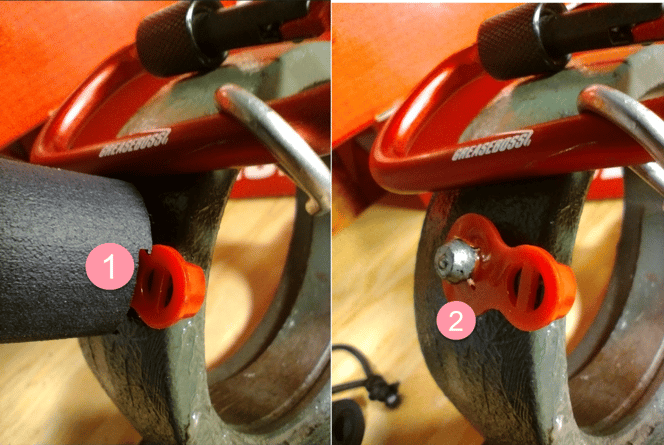
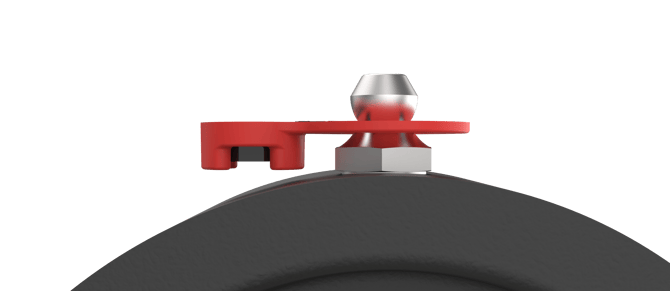
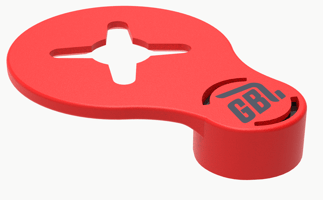
2.2: Clip the Grease Tag over the head of the Grease Nipple either by hand or using the supplied Tag Applicator. (1) Press to apply the tag (2) & retract to leave tag applied correctly. Note the flush side faces out, with RFID Chip extrusion facing away from where the Head Unit Nozzle will be applied |
|
|
|
|
|
|
|
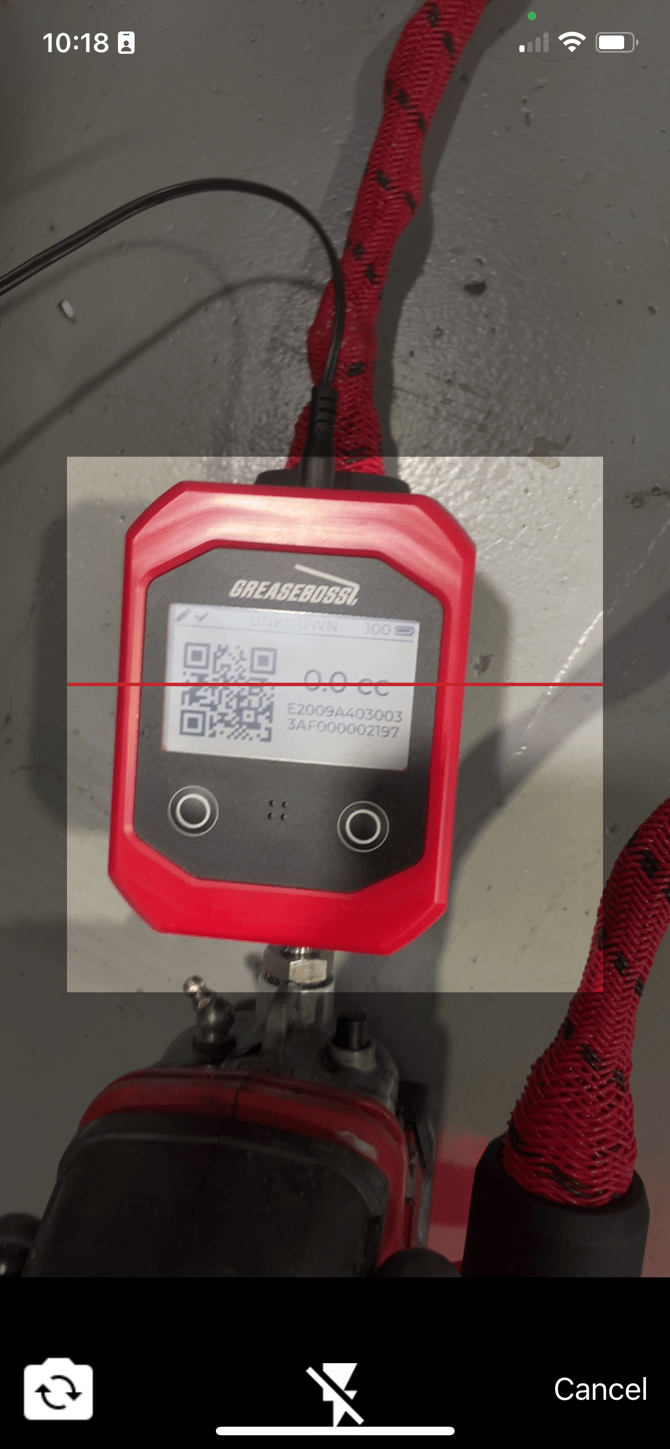
| 2.3: Scan the Grease Tag with the Head Unit to display the QR Code on the Head Unit Screen. |
|
| 2.4: Navigate in the GreaseBoss Mobile Application to the grease point that the Grease Tag is being installed on. | |
| 2.5: Use the QR Code Reader to scan the QR Code on the Head Unit Screen to associate the 24 Digit RFID Code to the Grease Point. | |
| 2.6: Ensure to Save and Sync the details in the GreaseBoss App | |
| (See the detailed GreaseBoss Mobile Application Guide for further information for downloading, navigating and using the Mobile App)
|
|
3 - NOTE ABOUT TAG ORIENTATION |
|
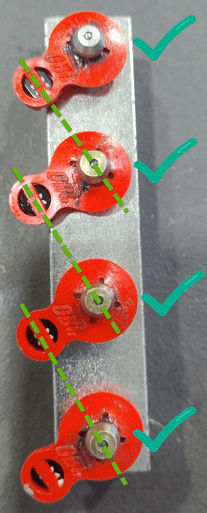
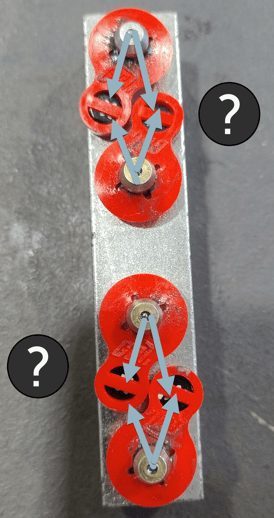
| 3.1: Tags should be installed with some care when in close proximity to others to avoid cross reading. | |
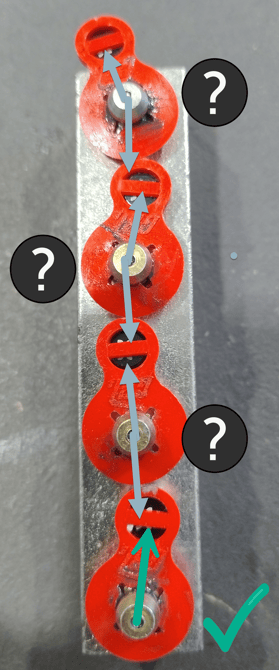
| 3.2: When installing Tags in close proximity, align the tags so that there is as much distance possible between the RFID Chip of the neighbouring tag. | |
 |
 |
| 3.3: Additionally, ensure the RFID Chip is not alligned near a grease nipple that the Tag is not installed on. | |
 |
|