
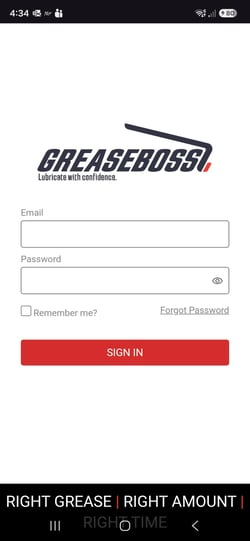
The GreaseBoss Mobile App is a free app for phones and tablets. It is used to link GreaseBoss hardware to the grease points set up in a GreaseCloud account: Grease Tags in the Manual Greasing System, and Endpoints in the Automatic Greasing System. It is also used for small changes in the field, such as adding a point or replacing a lost tag.
This article explains what the app does, who uses it and when, and what is needed to get started.
What the App Does
The app shows the same structure as the GreaseCloud account: Location → Asset → Point. With it, users can:
- Map Grease Tags. Link each tag's RFID number to its grease point, using the Head Unit to read the tag and the phone camera to scan the QR code it shows.
- Map Endpoints. Link an Endpoint to its grease point by scanning the QR code on the Endpoint's serial label.
- Add and edit locations, assets and points. For example, add a point that was missed during setup, or correct a point name.
- Replace a lost or damaged tag. Clear the old RFID number from the point and map the new tag.
- Work without mobile coverage. Changes are saved on the device and sent to GreaseCloud with the Sync button once coverage returns.
What the App Doesn't Do
- Schedules. Schedules can't be created in the app or added to a point. A point added in the app must be added to a schedule in the GreaseCloud Dashboard, otherwise the Head Unit shows No task found at that point.
- Activity and reports. Greasing activity, alerts and compliance reports are viewed in the GreaseCloud Dashboard.
- Assigning Endpoints to the account. GreaseBoss assigns each Endpoint to the account. The app links an Endpoint that is already in the account to its point.
When the App Is Used
- Manual Greasing System: to map Grease Tags during installation, then to replace lost or damaged tags, map tags on new points and make small edits in the field.
- Automatic Greasing System: to map Endpoints to their points, and to make small edits in the field.
What's Needed
- A phone or tablet with a camera, running iOS 17.0.1 or Android 14 or later.
- The GreaseBoss app, from the App Store or Google Play. Search for "GreaseBoss". Site IT may need to approve the app before it can be installed.
- A GreaseCloud Dashboard login (email and password). The app uses the same login.
- To map Grease Tags: a charged Head Unit that has synced recently with the Gateway.
In This Section
- GreaseBoss Mobile App - Getting Started: install, sign in, find your way around, work offline and sync.
- GreaseBoss Mobile App - Map Grease Tags
- GreaseBoss Mobile App - Map Endpoints
- GreaseBoss Mobile App - Add, Edit and Delete Locations, Assets and Points
- GreaseBoss Mobile App - Information for IT Departments
- GreaseBoss Mobile App - Video Walkthrough